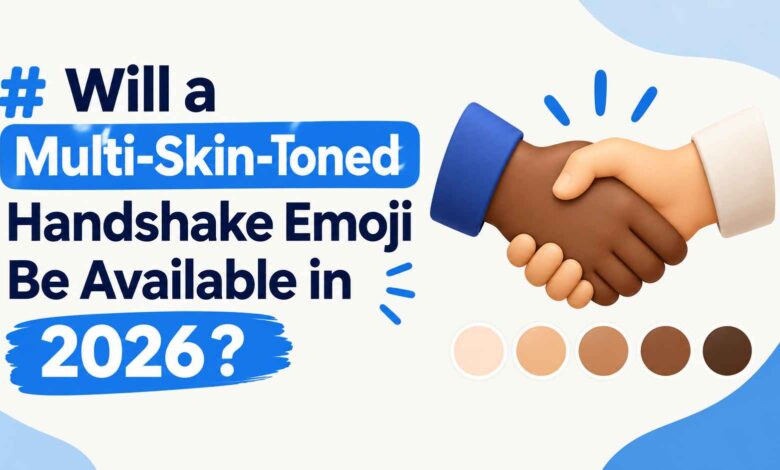
The handshake emoji (🤝) has been around since 2015, but most people don’t realize it can now show two different skin tones shaking hands. This handshake emoji update — one hand light, the other dark, or any of 25 combinations — has quietly become one of the most requested features in emoji history, and it’s now supported everywhere from iMessage to WhatsApp.
This guide covers what the emoji actually means, how the two-tone version technically works, which platforms support it, and how to type it yourself.
What Does the Handshake Emoji Mean?
At its core, 🤝 represents agreement, partnership, or a deal being made. People use it to:
- Confirm plans (“See you at 7 🤝”)
- Signal a business agreement or collaboration
- Express solidarity or mutual respect
- Close out a negotiation or debate (“Deal 🤝”)
It’s one of the more neutral, professional emoji in common use — it doesn’t carry the flirtatious or celebratory tone of emoji like 🙌 or 🤗, which is part of why it’s so common in work chats and group projects.
The Two-Tone Handshake: What Makes It Different
Most emoji with skin tone options let you apply a single modifier to one figure — think 👍🏽 or 🙏🏿. The handshake is different because it shows two separate hands, and each hand can now carry its own independent skin tone.
That means instead of one uniform color, you can send a handshake where one hand is light-skinned and the other is dark-skinned (or any mix among the five standard tones). It’s a small technical detail, but it was actually one of the more complicated emoji builds Unicode has approved, because standard skin-tone modifiers were designed for single figures, not two separate hands meeting in the middle.
How the Multi-Tone Handshake Was Built
Rather than modifying the existing 🤝 emoji, Unicode’s Emoji Subcommittee created two brand-new component parts: a rightwards hand (🫱) and a leftwards hand (🫲). Each of these can take its own skin tone modifier, and the two are joined with a zero-width joiner (ZWJ) to render as a single combined handshake.
This approach is what allowed for 25 total combinations — five matching-tone versions plus twenty mixed-tone pairings. Google’s creative director for emoji, Jennifer Daniel, first submitted the proposal to Unicode in 2019, and it took roughly two years of technical work to finalize.
Handshake Emoji Timeline
| Milestone | Date |
|---|---|
| Original 🤝 handshake emoji introduced | 2015 (Emoji 3.0) |
| Multi-skin-tone proposal submitted to Unicode | November 2019 |
| Multi-tone handshake approved | Emoji 14.0, September 2021 |
| Apple support (iOS 15.4, macOS Monterey 12.3) | March 2022 |
| WhatsApp support (Android v2.22.8.79) | April 2022 |
By the time Emoji 17.0 rolled out in September 2025, Unicode had used the same mixed-tone approach for other multi-person emoji, including 🤼 People Wrestling and 👯 People With Bunny Ears — a sign that the handshake’s two-hand design became a template for future emoji.
Which Apps and Devices Support It
If you’re on a reasonably current phone or app, you already have this. Support has been standard across major platforms for a few years now:
| Platform | Support Status |
|---|---|
| iPhone / iPad (iOS 15.4+) | Full support |
| Android (most manufacturers, Android 12L+) | Full support |
| Full support since April 2022 | |
| Samsung One UI keyboard | Full support |
| Windows 11 | Full support |
| Older devices (pre-2022 software) | May show as separate hand + skin tone icons instead of a joined handshake |
If you send the two-tone handshake to someone on very old software, it may not render as a single combined image — this is normal and depends on their device’s emoji font, not on how you sent it.
How to Type the Two-Tone Handshake Emoji
On most keyboards, you get to the two-tone version the same way you’d change the skin tone on any other emoji:
- Open your emoji keyboard and find the standard 🤝 handshake.
- Press and hold (or long-press) on the emoji.
- A skin tone picker will pop up — but instead of five uniform options, look for the mixed-tone or “two hands” variant.
- On iPhone: after long-pressing, you’ll see a row of tone options; tap and hold a specific pairing to set each hand independently.
- On Android/Gboard: long-press the handshake, then swipe to select each hand’s tone from the expanded picker.
- On WhatsApp: the same long-press gesture works inside WhatsApp’s own emoji keyboard on both Android and iOS.
If you’re curious how other recently updated emoji work across platforms, it’s worth checking our [Latest Article] on the newest Unicode emoji release.
Handshake Emoji vs. Similar Emoji
People sometimes mix up the handshake with other “hands together” emoji. Here’s the quick distinction:
- 🤝 Handshake — agreement, deal, professional greeting
- 🙏 Folded Hands — gratitude, prayer, or a request (“please”)
- 🙌 Raised Hands — celebration or praise
- 👊 Fist Bump — casual greeting, often more informal or playful than a handshake
If you want to signal a formal agreement or closing a deal, 🤝 is the clearer choice — the others carry a different emotional register entirely.
Common Mistakes People Make With This Emoji
A few misconceptions worth clearing up:
- Assuming it’s brand new. Some older articles still describe the multi-tone handshake as “coming soon” — it’s been live since 2021, not a future feature.
- Thinking it requires a special app. No third-party app is needed; it’s built into your phone’s standard keyboard.
- Expecting every platform to render it identically. Design style varies (Apple’s hands look different from Google’s or Samsung’s), even though the underlying meaning is the same.
read this too [ Troozer.com: Is It Legit, Safe, or Worth Trusting?]
Frequently Asked Questions
Is the two-tone handshake emoji available on all phones?
It’s available on any device running a reasonably current OS — iOS 15.4 or later, and most Android phones from 2022 onward. Very old devices may not render it correctly.
How many skin tone combinations does the handshake emoji have?
There are 25 total combinations: 5 single-tone versions and 20 mixed-tone pairings.
Why does my handshake emoji look like two separate icons instead of one?
This usually means your device’s software is out of date and doesn’t support the combined ZWJ sequence. Updating your OS or app should fix it.
Can I choose a different tone for each hand?
Yes — that’s the entire point of the update. Long-press the emoji and select the tone for each hand independently.
Is the handshake emoji used differently in business vs. casual texting?
Not really — its meaning (agreement, partnership, confirmation) stays consistent across both contexts, though it appears more often in professional messaging than in casual chats.
Conclusion
The handshake emoji’s two-tone update solved a real gap in emoji representation, and by 2026 it’s simply part of the standard keyboard rather than a novelty. If you’ve been sending the plain yellow version out of habit, you now know how to pick a combination that actually reflects who’s shaking hands — and why Unicode had to build two new hand components just to make it possible.