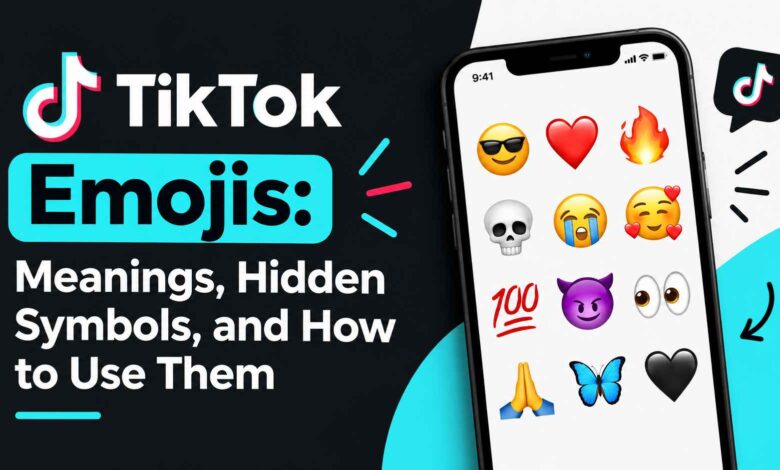
TikTok emojis rarely mean what they look like at first glance. A 💀 in a comment section usually has nothing to do with death, and a 😭 is just as likely to signal laughter as sadness. If you’ve scrolled through TikTok and felt slightly lost about why a specific emoji showed up under a video, you’re not missing some obvious joke — TikTok emojis have genuinely developed their own shorthand, separate from how the same symbols get used in a regular text message.
This guide walks through what the most common TikTok emojis actually mean, how they get combined for extra effect, and how to use them in your own captions and comments without it feeling forced.
Why TikTok Emojis Don’t Always Match Their Literal Meaning
Emoji meaning on TikTok is shaped by trends, memes, and repeated use inside comment sections — not by the dictionary definition of the symbol. A skull doesn’t mean someone died; it means something was so funny the commenter is “dead” from laughing. This kind of drift happens because comments are short, fast, and often reused across thousands of videos, so a symbol’s meaning can shift and stick within a specific community faster than it would in ordinary texting.
That’s the main thing to keep in mind before trying to interpret any single emoji in isolation: context from the video and surrounding comments usually matters more than the emoji itself.
Common TikTok Emojis and What They Actually Mean
| Emoji | Literal look | Common TikTok meaning |
|---|---|---|
| 😭 | Crying | Laughing hard, overwhelmed, or genuinely moved — tone depends on context |
| 💀 | Skull | “I’m dead” — something extremely funny or unbelievable |
| 🗿 | Stone statue | Deadpan, awkward, or unimpressed reaction |
| 👀 | Eyes | Curiosity, “watching this unfold,” or hinting at gossip |
| 🤡 | Clown | Self-deprecating — admitting you fell for something or made a mistake |
| 🫠 | Melting face | Embarrassed, overwhelmed, or mentally exhausted |
| 🥺 | Pleading face | Soft request, affection, or playful begging |
A quick example of how far this can drift from the literal symbol: a comment like “the way he opened that door 😭” almost never means the commenter is sad — it means the moment struck them as funny or dramatic enough to react strongly to. [High Quality or High-Quality: Which One Is Actually Correct?]
Emoji Combinations You’ll See in Comments
Single emojis get a lot of mileage on TikTok, but pairing two together is just as common, and the combination often carries a slightly different tone than either symbol alone:
- 😭💀 — something is so funny it’s overwhelming
- 👀☕ — waiting for drama, gossip, or a follow-up
- 🔥👏 — genuine praise or admiration
- 🥺👉👈 — a shy or playful request
Emoji slang isn’t unique to TikTok — if you want to see how some of the same symbols get used differently on other platforms, [Latest Article] breaks down a few of those distinctions.
None of these combinations are fixed rules, though. The safest way to read one you don’t recognize is to check how it’s being used in the comments around it rather than assuming a universal meaning.
Using Emojis in Captions, by Content Type
The right emoji largely depends on what you’re posting. A few starting points:
- Comedy — 😂 😭 💀 🗿
- Beauty/fashion — ✨ 💅 💄
- Food — 🍕 🤤 🔥
- Travel — ✈️ 🌍 📍
- Study/productivity — 📚 ✏️ ☕
- Gaming — 🎮 🔥 🏆
A caption like “Easy weeknight pasta 🍝🔥” does more work than a string of unrelated emojis, because the words still carry the actual information — the emojis just add tone. That distinction matters more than people often assume: a caption built entirely out of emojis with no supporting text usually gives the algorithm and new viewers less to go on than a short, clear sentence with one or two emojis attached.
TikTok’s “Secret” Emoji Codes: What’s Actually Verifiable
You’ll find lists online claiming that typing specific shortcodes into TikTok unlocks custom, platform-exclusive emoji designs. Some of this has been real at different points — TikTok has run features tied to custom visual emojis before — but there’s an important caveat: these features can be tied to specific app versions, regions, or time-limited promotions, and older code lists frequently stop working without warning.
If you try a code you found online and nothing happens, that doesn’t necessarily mean you did something wrong. It’s safer to treat these lists as “worth trying” rather than something guaranteed to work on your device.
How to Add Emojis to a TikTok Comment or Caption
The process is the same as adding an emoji anywhere else on your phone:
- Open the video and tap the comment field (or start a caption while posting).
- Tap your keyboard’s emoji icon (bottom-left on most iPhone keyboards, usually a smiley icon on Android).
- Select the emoji you want.
- Finish typing your text around it.
- Post the comment or publish the video.
Keyboard layouts vary slightly between iPhone, Samsung, and other Android devices, but the emoji picker works the same basic way on all of them.
Common Mistakes to Avoid
- Overloading a comment with emojis. A single relevant emoji usually reads better than a row of six repeated ones.
- Using an emoji for its literal meaning instead of its TikTok meaning. 💀 read as “someone died” instead of “this is hilarious” will land wrong.
- Letting emojis replace the actual message. “🔥🔥🔥” tells a creator you liked something; “that transition was so clean 🔥” tells them what specifically worked.
- Copying trending combinations that don’t match your usual tone. If your comments are normally straightforward, forcing in unfamiliar slang can read as try-hard rather than natural.
Do Emojis Affect TikTok’s Search or Algorithm?
Emojis are a visual and tonal tool, not a substitute for descriptive text. TikTok’s search and recommendation systems rely heavily on the actual words in your caption, on-screen text, and audio, so a caption made up entirely of emojis gives the platform very little to work with. A caption like “Easy 15-minute chicken dinner 🍗🔥” performs better for discoverability than “🍗🔥😋👇” alone, simply because it contains real, searchable words alongside the emoji.
FAQ
What does 💀 mean on TikTok?
It signals that something is extremely funny or unbelievable — the equivalent of saying “I’m dead” from laughing, not a reference to actual death.
Why do people use 😭 for funny videos instead of sad ones?
On TikTok, 😭 is commonly used for being overwhelmed by something — which can mean laughter, secondhand embarrassment, or genuine emotion, depending on context. Its meaning shifts based on the comment and video it’s attached to.
Are TikTok’s secret emojis still active?
Some custom emoji features have existed on TikTok at various points, but they can be tied to specific app versions or time periods. A shortcode that worked previously may no longer function, so treat any list you find online as unverified until you test it yourself.
How many emojis should I use in a TikTok caption?
There’s no fixed number, but one or two relevant emojis generally read better than a long string of them. The goal is for the emoji to support the caption, not replace it.
Do TikTok emojis look the same on every phone?
Not always. Standard emojis render slightly differently across iPhone, Samsung, and other Android devices because each operating system uses its own emoji design set.
Conclusion
TikTok emojis work best when you treat them as tone, not translation — a 💀 or 😭 adds emphasis to a comment or caption, but the actual words are still doing the communicating. Learning the handful of symbols that carry TikTok-specific meanings (💀, 😭, 🗿, 👀, 🤡, 🫠) covers most of what you’ll run into, and pairing emojis with clear text rather than relying on them alone will serve you better whether you’re commenting, captioning, or trying to be found in search.