Your WordPress site just got hacked. Now you’re staring at three quotes that don’t even seem like they’re for the same job. One says $200, another says $1,500, and you’ve got no idea which one covers a full fix.
The answer depends on a few things most owners don’t see in a quote. WordPress malware removal cost shifts based on a few factors, like infection depth, the number of infected files, and whether the provider includes reinfection safeguards. A DIY cleanup won’t reveal that full scope the way a professional review will.
Our team at WP Guard has priced hundreds of hacked WordPress recoveries across small business sites and large WooCommerce stores. So in this guide, we’ll cover what drives each part of the bill and how to spot an underscoped quote before you sign off.
What Infection Depth Means for WordPress Hack Recovery Service Pricing
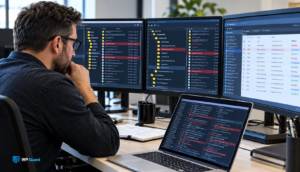
The single biggest factor behind any recovery quote is how far the infection spread before anyone caught it. For instance, a site with one backdoor file might be a two-hour job. But complex infections with malicious code across 60+ infected files, plugin folders, and database tables take days to clean.
One infected site we worked on last year looked simple at first, because the scan only flagged a single plugin. Manual review uncovered backdoors in three theme directories and a hidden admin account with full access to the database. That recovery took four full working days, and the WordPress malware removal cost jumped from $300 to over $1,200.
Finding the initial file is just the beginning, though. Most attacks use common attack vectors and automated attacks to target multiple entry points across your site. Dormant code in core files and scripts distributing malware to visitors adds labour hours to the WordPress hack recovery steps a provider follows.
Why Malware Cleanup Costs Vary So Much Between Providers
Once you understand what drives the base price, the next question is why two providers charge so differently for the same hack. The work behind each quote looks completely different once you compare scope, process, and outcome.
Here’s how budget and thorough cleanup services typically compare:
| Budget Provider | Thorough Provider | |
| Scope | Deletes flagged files only | Reviews every file, plugin, theme, and database table |
| Process | Runs an automated scan and removes what it finds | Manual file-by-file and table-by-table review |
| Outcome | Visible malware gone, but infected files in the database often stay | Full virus removal with written confirmation the site is clean |
We’ve seen owners pay for the same hack twice because the first provider’s recovery process stopped at deleting flagged files.
A thorough provider will remove malware across every layer and confirm the fix held. That gap in scope drives most of the WordPress malware removal cost, even for a single site cleanup.
The Hidden Costs Most Quotes for Hacked WordPress Sites Leave Out
A quote that only covers file deletion is like paying a mechanic to change your oil and ignoring the blown gasket. The removal cost climbs once you factor in the work that actually prevents a second infection.
A few line items show up on the final invoice that most owners never budgeted for:
- Credential Resets and Access Lockdowns: Every compromised password needs rotating, including admin logins, FTP credentials, and database access. Skip this step, and attackers can regain access to your WordPress site through the same problem.
- Reinfection Prevention: WordPress security hardening covers file permissions, two-factor authentication, and regular security scans (surprise, it’s not in the quote). Without these safeguards, that vulnerability stays wide open.
- Security Monitoring After Cleanup: Uptime monitoring and security monitoring for a few months after the fix aren’t free. But they’re the only way to confirm the malware didn’t leave anything behind on your site or other sites on the same server.
Most providers price these as add-ons. A $400 base quote to fix a hacked WordPress site can climb past $1,000 once you include everything needed to prevent reinfection.
Why Malware Scanning Won’t Tell You What Professional Cleanup Costs
You’d think a malware scan would tell a provider exactly what to charge. Scanners and security plugins catch known threats, but obfuscated PHP, multiple backdoors in WordPress core files, and code with no matching signature slip right through.
On top of that, your operating system and browser can also throw fake alerts into the mix.
We’ve seen those blind spots firsthand. On one WordPress malware removal job, the owner’s scanner showed a clean result, but manual review pulled three separate backdoors from the database. That’s why a professional cleanup quote built only on malware scanning output underestimates the virus removal scope by a wide margin.
So a thorough cleanup starts with manual verification of every layer before any automated scan runs. Without that step, the final cost won’t reflect what the job actually requires. You can’t remove malware you haven’t found, and a Google Search Console security warning won’t flag every trace of suspicious activity for you.
Lost Revenue and Customer Trust After a Hacked WordPress Website
A hacked WordPress site doing $2,000 a day in revenue loses $1,000 in just 12 hours of downtime. That covers lost sales, wasted ad spend, and form submissions that never came through. For a small business site, those numbers can wipe out an entire week’s profit before the cleanup even starts.
Google can flag your hacked WordPress website with a “deceptive site ahead” warning, and your search rankings can vanish overnight. That kind of security warning tanks organic traffic and scares off repeat buyers (that clock starts the moment your site goes down).
Most importantly, rebuilding customer trust after that takes months of consistent uptime, clean Google results, and visible security improvements.
Believe it or not, most of that seo damage never appears on a malware recovery quote. For hacked WordPress sites, lost revenue, lost customer data, and broken customer trust all carry a cost that most owners only calculate after the fact.
Now, there’s one more line item most owners don’t plan for.
What Data Recovery Adds to a Malware Removal Bill
If you catch data loss early in the recovery process, your total bill drops by thousands compared to rebuilding from scratch. And when there’s no recent backup to fall back on, someone has to rebuild each piece of lost data by hand.
On WooCommerce sites, corrupted order tables, wiped customer records, and damaged database entries all need separate recovery work. If your site doesn’t meet basic WordPress backup requirements, manual reconstruction replaces what a simple restore could’ve handled.
Simply put, the difference between a clean backup and no backup at all can double the virus removal cost on the final invoice (a step most base quotes skip entirely).
Some people even end up paying a second specialist for data recovery because their cleanup provider doesn’t restore lost files or databases. Ultimately, regular backups with offsite storage are the cheapest way to protect your website.
What to Check Before You Pay to Fix a Hacked WordPress Site
At this point, you probably have a better read on recovery pricing than most site owners who’ve already paid for one. The sections above showed exactly why the cheapest virus removal quote rarely covers the full job.
Before you sign off on any WordPress malware removal provider, ask what the price covers. Does it cover a professional cleanup of every infected file, or just the ones a scanner flagged? Also, make sure it includes WordPress security hardening, credential resets, and regular backups after the fix.
If the answer depends on add-ons, you’ll want those removal costs in writing before the work starts.
Our team at WP Guard builds every recovery quote around full diagnosis and post-cleanup confirmation. So if you’ve got red flags in a current estimate or want help filing a Google review request, reach out. We’ll walk you through exactly what your WordPress site needs.
You Can more Read : meanify.co.uk